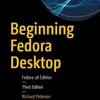
A comprehensive technical guide for the Fedora 28 Linux operating system, authored by Richard Petersen. It details the installation process, from creating Live USB media to managing disk partitions and finishing the initial setup. Beyond installation, the text outlines the diverse desktop environments available, specifically highlighting GNOME and KDE Plasma. The sources also catalog essential software applications, including office suites, multimedia tools, and internet browsers. Furthermore, the manual addresses system administration tasks such as network configuration, software repository management, and security settings. Overall, these excerpts offer a structured roadmap for users to effectively deploy and navigate the Fedora ecosystem.You can listen and download our episodes for free on more than 10 different platforms:https://linktr.ee/cyber_security_summaryGet the Book now from Amazon:https://www.amazon.com/Beginning-Fedora-Desktop-28/dp/1484238818?&linkCode=ll2&tag=cvthunderx-20&linkId=d2d1bbf4559ab4daf753ffd8b00841e6&language=en_US&ref_=as_li_ss_tlDiscover our free courses in tech and cybersecurity, Start learning today:https://linktr.ee/cybercode_academy
Podzilla Summary coming soon
Sign up to get notified when the full AI-powered summary is ready.
Free forever for up to 3 podcasts. No credit card required.
Listen to This Episode
More from CyberSecurity Summary
ASP.NET Core in Action
RHCSA & RHCE Red Hat Enterprise Linux 7: Training and Exam Preparation Guide (EX200 and EX300)
Hands-On AWS Penetration Testing with Kali Linux: Set up a virtual lab and pentest major AWS services, including EC2, S3, Lambda
Introduction to Graph Neural Networks (Synthesis Lectures on Artificial Intelligence and Machine Learning)
Get summaries like this every morning.
Free AI-powered recaps of CyberSecurity Summary and your other favorite podcasts, delivered to your inbox.
Free forever for up to 3 podcasts. No credit card required.