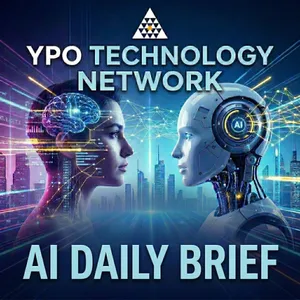
Free Daily Podcast Summary
YPO Technology Network AI Brief: Daily Summaries Delivered
by Stephen Forte
AI moves fast. Your briefing should move faster. The YPO Technology Network AI Brief is a daily breakdown of the AI developments that actually matter to your business. No hype, no jargon, no filler — just what changed, what it costs you or saves you, and what to tell your team on Monday. Hosted by Stephen Forte for the leaders who don't have time to chase the news but can't afford to miss it.
Latest Episodes
The most recent episodes — sign up to get AI-powered summaries of each one.
- Today6 min
AI Plumbing: Microsoft Just Ran The Pipes Through Your Tenant
Microsoft Ignite's biggest news was plumbing: who each agent is, who it reports to, what it can touch and what it costs, built into the Microsoft 365 tenant you already pay for. Satya Nadella called Agent 365 Business Analytics "your ERP system for AI usage." Stephen's take: the spend dashboard is a great start if you count hours as capacity, not cash. Let Autopilot run in preview on non-critical work. Expect standalone AI tools to be absorbed into Microsoft, the way video calls and chat were into Teams. Copilot Code apps are a good place to start. And if you are a Microsoft shop, keep what you build elsewhere portable.Available now (GA): Office in Copilot, Copilot Managed Runtime, Microsoft IQ, agent usage metrics and the basic agent registry, Agent 365 and E7. Frontier preview: Business Analytics (50+ Copilot licenses first, all Frontier tenants by about 7 Dec); Autopilot (off by default, US first, billed per use, no GA date); Copilot Code (GA expected around December); Workspaces. Preview: Entra Agent ID for third-party agents, Dynamic Agent Risk. Conflict: Perception is announced GA, but Microsoft's setup page still says limited preview. Autopilot, Code and Cowork use Copilot Credits and need a spending policy.Four steps for this monthAsk IT whether your tenant is in Frontier, and turn it on for a small group. Why: most new features need it, and a small group limits surprises.Set a monthly and per-user spending cap with alerts before anyone uses metered features. Why: the cap comes first.Get one list of every agent, Microsoft and otherwise, each with a named owner. Why: an agent without an owner is one nobody watches.Run one Autopilot pilot on non-critical work and one Copilot Code app that replaces an emailed spreadsheet. Why: learn now, decide on rollout after GA.Watch-outs. Microsoft's value figure is assisted hours times an hourly rate you set. Autopilot conversations are not yet covered by eDiscovery, retention or legal hold. Keep instructions, process steps and data somewhere you own.Quick wrap-up: Perplexity Context API. Send a batch of web addresses, get back clean text plus the passages that answer your question, at about $1 per 1,000 pages, with failed fetches free. It makes research agents cheaper, for example monitoring competitor or regulator pages. Quality figures are Perplexity's own, and your page list reveals what you research. Launch; pricing.Terms. Frontier: Microsoft's early-access program. Agent 365: the control plane for agent identity, security and management. Autopilot: an always-on agent with its own ID, memory and manager.Sources: Nadella keynote; Book of News; Business Analytics; Autopilot requirements; Copilot Code admin; Perception setup.The AI Brief from the YPO Technology Network is a daily executive briefing on the AI developments that matter to business leaders. Hosted by Stephen Forte.
- Yesterday6 min
AI For CEOs: Hear What The Summary Leaves Out
Episode 200. Stephen started this show because almost nobody was talking to CEOs about AI: plenty of tabloid headlines and valuations, little on where the technology is going, what a busy CEO needs to know, and how to gain an edge. He spends two to three hours a day on AI research, and it is perishable, so he shares it. Thank you for helping make this one of the top five percent of podcasts in the world.On 11 November, Databricks CEO Ali Ghodsi showed TechCrunch how he uses his Genie agent: on the weak parts of the employee survey, to rate and discard fixes his executives suggested, and to summarize a sales pitch that went badly. At about 12,000 employees, past Dunbar's number of about 150, the boss hears less directly. Stephen's take: teams rarely filter on purpose. Everyone has a different lens. AI lets a CEO read raw survey and feedback data through their own, program out bias, and focus on the metrics that matter. AI suggests, with sources. People decide.Key takeaways. Use AI on the raw material, not the summary. A wrong definition gives a confident wrong answer. Hours saved are capacity, not cash. Genie and Genie Ontology are generally available. The always-on Genie, Genie Search and Ontology Manager are coming soon to preview and beta. They are not in customers' hands yet.Five steps to start this weekPick one question where you may be seeing only one lens: morale on a team, a slipped deal, what customers ask for. Why: a narrow question gives a result you can check.Give the agent the raw material, not the summary deck: survey comments, lost-deal notes, support tickets. Why: the summary already carries someone else's lens.Write down the definitions it must use (below). Why: it can only answer straight if it knows what your words mean.Tell your team what the agent reads before you start. Check privacy rules and keep survey comments anonymous. Why: finding out later destroys trust.Ask for suggestions with sources, not decisions. Every point traces to a comment or record. Why: you can check it, and a person decides.Starter definitions. Revenue: booked, billed or recognized, and which system is official. Active customer: what activity, over what period. Churn: customers or revenue, monthly or yearly. Official report: which one wins when two disagree. Who can see what: individual comments versus totals.Terms. Genie: Databricks' AI agent for business users. Genie Ontology: the layer holding a company's definitions, metrics, people and processes. Always-on agent: works in the background and comes back for decisions (Genie's is coming soon to preview). Dunbar's number: about 150, the rough limit for stable relationships.Examples named. Ali Ghodsi at Databricks (survey, executive fixes, lost pitch). Stephen uses AI on survey and feedback information to read sentiment through his own lens, with AI suggesting and people deciding.Sources: Databricks release; TechCrunch; Databricks blog.The AI Brief from the YPO Technology Network is a daily executive briefing on the AI developments that matter to business leaders. Hosted by Stephen Forte.
- 2 days ago6 min
AI Always-On Agents: The Real Risk Is They Break Silently
On 13 November 2026, Anthropic published a guide on agents that keep working when nobody is in the chat. Always on is the experience, not staying awake all night. The agent sleeps, wakes for a short run, saves what happened, and goes back to sleep. Hours it saves are capacity, not cash. Unattended agents rarely go rogue. They stall, stop, or break silently. Run an agent attended first, then let it run on its own, and have a second agent check the work. If a team or vendor cannot say how the inbox, timers, memory, permissions, and outbox work, the agent is not ready. The later test: would you know if it stalled overnight.Key takeaways. Always on is the experience, not the runtime. Hours saved are capacity, not cash. Run attended first, then unattended, with a second agent reporting success and failure. Automatic replies are a comfort-level choice. Automatic drafting is a different decision. Start the agent quiet, between over-notification and missing what you need to know.Five building blocks (Anthropic).Event inbox. Every trigger writes to one durable queue, with one active worker. If the worker dies, a new one can retry. Ask: does every trigger go through one queue, and what happens if the worker dies mid-run.Timers. Follow-ups the agent sets for itself, and recurring schedules. Ask: can I see them, and can I turn them off.Memory. Keep only what it cannot look up again. Save a pointer if the fact already lives elsewhere. Ask: what does it keep, where does that live, and can we read it.Permissions. A run holds a person's access. Each action should proceed, block, or wait for a named person's approval. A proxy outside the agent adds the password or the key. Ask: does the agent hold the credentials, which actions wait, and what if that person does not answer.Outbox. The user gets the outcome and a few details, not a live stream of every step. Ask: how does it decide when to message someone, can we start it quiet, and is there a log of sent and unsent messages.Checklist (as spoken). You do not need to write this down as you listen.Run the agent attended first. Then let it run on its own. Why: you learn how it behaves while someone is still watching.Have a second agent check the work and report success and failure. Why: they stall, stop, or break silently, and the job can look like it is still running.Write down which messages can go out on their own, and which wait for a person. Automatic replies are a comfort level. Automatic drafting is a different decision. Why: drafting can go first. Sending is still a separate yes.Ask the five questions above. Why: if a vendor cannot answer them, the agent is not ready to run unattended.Once it is running, ask whether you would know if it stalled overnight. Why: that is a better test than asking whether it ever went rogue.Terms. Always-on agent: feels unattended, but sleeps between short runs. Memory: what is kept between runs, and is inspectable. Credential proxy: inserts the password or key. Outbox: how the outcome reaches a person. Start quiet: fewer messages first, then earn attention over time.Examples named. We run agents unattended after an attended check, with other agents reporting success and failure. They rarely go rogue; the watch is for silent stall. Some messages get automatic replies, many do not. Most emails get an automatic first draft. Drafting is not sending.Sources: Anthropic guide; Elvis Saravia on X.The AI Brief from the YPO Technology Network is a daily executive briefing on the AI developments that matter to business leaders. Hosted by Stephen Forte.
- 3 days ago6 min
AI Vendor Risk: When Outlook Goes Down, Your Agents Go With It
Microsoft's Outlook and much of Microsoft 365 went down late Thursday 12 November and were not fully restored, by Microsoft's public account, until Saturday morning 14 November. Microsoft says this was a technical issue, not a cyberattack and not AI, from a problem in an earlier network capacity upgrade that showed up after a recent network change. The CEO lesson is that agents sitting on Outlook, the calendar, and Microsoft Graph went down with that pipe.Key takeaways. Have a way to reach people that does not run through Outlook or Teams, and test it. List every mail and calendar agent and what it should do when Graph times out. A service credit is bookkeeping, not a recovery plan. Decide ahead of time how long you will wait before you fail over, knowing a DNS change can take an hour.Checklist (as spoken). You do not need to write this down while you listen.A way to reach staff and key customers that does not run through Outlook or Teams. And test it. A phone tree, a text, or a second messaging tool is enough. The test is the part most companies skip. For us, Slack covered the inside of the company. It did not cover customers. Why: most customer communication still goes through email.A short list of every agent or workflow that reads mail, sends mail, or touches the calendar through Graph. Write down what each one should do when those requests time out. Stop and alert a person. Queue the work. Or fail closed. An agent that keeps retrying in the dark is worse than an agent that stops. Why: Graph requests may time out, and an agent can keep running with nothing useful to work with.Know what the contract actually pays you when the service is down. If you are on a paid business plan, you can ask for a service credit. It is a reduction on a future bill for the service that was down. It is not automatic, and it is not payment for lost work. You have to show that your own users were hit, and you have to ask by the end of next month. Treat that as bookkeeping, not a recovery plan. If email is how you sell, book, or approve work, you need a second path, not a better invoice credit. Why: the credit will not send the stuck messages. The plan is the second path, and how long you will wait before you use it.Timeline (Dublin / US Eastern). 12 Nov, 17:54 Dublin / 12:54 p.m. ET: EX1550543 opened. 18:35 / 1:35 p.m. ET: MO1550821. 13 Nov, 16:40 Dublin / 11:40 a.m. ET: preliminary cause. 14 Nov, 06:09 Dublin / 1:09 a.m. ET: customers restored, 36 hours later. Admin-center recaps list a different Friday end time than the Saturday public post used on air.Terms. Microsoft Graph: the interface agents use for mail, calendar, and contacts. DNS failover: changing where your mail is delivered, which can take an hour. SLA credit: a future-bill reduction on the down service if you ask by the end of next month.Examples named. Our company kept a Gmail standby ready in about fifteen minutes and did not flip, because nothing critical needed it and DNS can take an hour. Bots still ran but not off incoming mail. Slack was fine. OpenAI and Anthropic Microsoft 365 connectors failed. ChatGPT Wallet launched 13 Nov. OpenAI Control Room stops research-system work within 35 seconds and fails closed.Sources: First acknowledgment; Cause statement; Saturday restoration; Wallet; Control Room.The AI Brief from the YPO Technology Network is a daily executive briefing on the AI developments that matter to business leaders. Hosted by Stephen Forte.
- 5 days ago13 min
AI Computer Use: Connectors First, Screens Last
Can your AI actually use your computer? Claude, ChatGPT, and Grok Bot all can, but there are four very different ways an agent touches your systems. Stephen Forte explains why legacy work still needs computer and browser control, compares the methods, and gives one rule. Connectors first, page or app structure next, screens last. In this episode: Why this still matters. A lot of real work still lives in systems with no connector: carrier partner portals, point of sale back offices, state payroll tax sites, and old Windows insurance applications. Four methods, most precise to least. Connectors and MCP servers first. Browser structure next, with tools such as Playwright and agent-browser. Then the operating system accessibility tree, the method behind agent-desktop. Screenshots and mouse coordinates last, the slowest and most expensive option. agent-desktop and agent-browser. Open source tools from Vercel Labs that read app or page structure instead of pictures of the screen. agent-desktop is a set of hands and eyes any agent can call. It is getting better, and it can still be slow. Community add-ons. Windows-MCP, Peekaboo, and computer-use-linux bolt the same accessibility features onto Windows, Mac, and Linux. Worth a look, not a recommendation. What each assistant can do today. Claude has computer use, browser use, Claude Code, and Claude in Chrome. After Claude Fable 5.2, the older computer use API tool now returns errors everywhere except Amazon Bedrock. Desktop computer control is still a research preview, not on Team or Enterprise plans yet. ChatGPT product names have changed fast: Operator, agent mode, Atlas, then Work. What exists now is ChatGPT Work and the desktop app's Computer Use. Grok Bot works from its own cloud computer, with connected apps preferred over clicking. The rule, plus the risk. Pick the most precise method that reaches the work. Do not run a screen agent on a laptop that has client email open. A signed-in browser session is a long-lived credential. Retest after vendor updates and site redesigns. Sources: min heo on X, the agent-desktop tip: X post, Nov 9, 2026 Vercel Labs: agent-desktop and agent-browser Anthropic: Computer use tool Anthropic: What's new in Claude Fable 5.2 Anthropic: Claude Code computer use and Claude in Chrome generally available OpenAI: ChatGPT Atlas retirement, desktop browser, and API computer use xAI: Grok Bot computer and apps Community add-ons: Windows-MCP, Peekaboo, and computer-use-linux The AI Brief from the YPO Technology Network is a daily executive briefing on the AI developments that matter to business leaders. Hosted by Stephen Forte.
- 6 days ago7 min
AI Agent Testing: The Business Owner Defines Good
Public AI benchmarks cannot tell you which agent to trust on your workflows. The business owner should define good, test the outcome first, then every step, and when a build looks finished, force a visual workflow and a full process map.Key takeaways. The business owner writes the tests; engineering should not invent success alone. Test the outcome first, then each step. When it appears to work, force the guide, visual workflow, and process map. Check new models, including Gemini 4 Carbon, on your own cases. Rerun tests after every update. Fund checking before more output.Monday checklist (as spoken). You do not need to write this down while you listen.Outcome tests owned by the business. The owner writes what good and bad finished results look like. Why: they know what good looks like, not only what is easy to automate.Step tests across variations. Change the inputs. Require intermediate values and sources. Score logic breaks between steps. Why: a good last message can hide a broken middle step.Decline and escalate cases. Include the cases where the right answer is no, not enough information, or send it to a person. Score an unjustified action separately from unfinished work. Finished is not the same as right. That is the light version of this week's Visa lesson, without importing a consumer shopping score into your shop floor. Why: completion is not correctness.The same case, repeated. Run an identical case several times. Consistency is a separate score from a single lucky pass. Why: one pass is not consistency.Compare against past human-handled cases. Take closed work a competent person already decided. Blind the agent. Compare outcomes and the follow-ups required. Why: your closed work is local ground truth.Finished-product map, then rerun after every vendor or model update. Require the guide, the visual workflow, and the full process map after it appears to work. Then treat every platform change as a release candidate and rerun the suite. We learned that the hard way when a tool update broke multi-step workflows my team relied on. Memory kept outside the tool let us move. The test suite is how you notice the change in minutes, not after customers do. Why: leftover paths and vendor updates show up here.Examples named. Invoice, claim, and customer-change cases (types, not industry claims). Leftover data writes or folder references. Gemini 4 Carbon's benchmark claims. Elvis Saravia and Lauren (9 Nov). Meta AutoRefine. DoorDash's Ask DoorDash harness (hidden tool path only).Terms. Public benchmark: a published model test, not your workflow. Intermediate values: mid-process numbers, materials, and sources. Blind the agent: hide the prior human decision. Grader: your scoring method; AutoRefine found older graders go stale.Sources: Elvis Saravia, 9 Nov; Lauren, 9 Nov; Google, Gemini 4 Carbon; Meta, AutoRefine; DoorDash evaluation; Visa benchmark release; Visa whitepaper.The AI Brief from the YPO Technology Network is a daily executive briefing on the AI developments that matter to business leaders. Hosted by Stephen Forte.
- 1 weeks ago7 min
AI ROI Metrics: Stop Counting Hours Saved, Start Counting Growth
New Wharton and Deloitte findings show most companies still prove AI value with hours saved, while teams that also track growth report stronger returns. Stephen Forte explains why hours saved is capacity, not cash, and what should go on a one-page AI scorecard. Plus how long it can take to actually shut an agent off. In this episode: The wrong headline. Hours saved is the most common AI metric among managers who measure return. It is capacity, not cash. If that capacity is not allocated to something, it gets reabsorbed. Wharton and GBK, October 2026. Departments that track at least one growth measure, such as net-new revenue, conversion, output, or customer satisfaction, report stronger returns than those tracking efficiency alone. These are survey answers, not audited financials. Organizations on one approved platform, and those with a designated chief AI officer, also report stronger returns. Deloitte, October 29. Most leaders report faster decisions and execution. Only a quarter say they use AI to deeply transform the business. Most companies now track the total AI bill. Far fewer track token volume or the cost of a unit of work. Nearly one in four say accountability is unclear when AI gets it wrong. West Monroe, via CIO Dive on November 9. A large majority of U.S. tech executives now put more than ten percent of IT budget into AI, a sharp rise from last year. A one-page scorecard. Make a growth or outcome measure the headline. Treat token and AI spend like any other business expense, with a purpose and a deliverable. Reinvent the work before you cut. Put a named owner on the measurement and standardize on one approved platform. Leaders should report the same way they ask the organization to report. Lightning item. An AWS test with Okta found that deleting the agent's resource connection refused new requests immediately, while deactivating the agent sat in a beta API queue for eighty-six minutes. Tokens already issued kept working up to five minutes. This was vendor-published, one test organization, and sample code marked non-production. Ask your identity team which switch actually stops an agent, and test that plan once before you need it. Sources: Wharton Human-AI Research and GBK Collective, 2026 AI Adoption Report (Oct 2026) and PDF GBK press summary Deloitte, State of AI in the Enterprise (Oct 29, 2026) West Monroe via CIO Dive / Yahoo Finance (Nov 9, 2026): CIOs upping budgets to meet AI AWS Machine Learning Blog: Okta agent access, part 1 and timing results, part 2 The AI Brief from the YPO Technology Network is a daily executive briefing on the AI developments that matter to business leaders. Hosted by Stephen Forte.
- 1 weeks ago6 min
AI Agent Controllability: Check Before The Agent Acts
Most companies still find out what their AI agents did by reading a log after the fact. Stephen Forte explains controllability: a check that runs before the agent acts and can say no, five working guidelines, and a trend in which Mistral and ANZ are building the same kind of controls. In this episode: Controllability defined. A check that runs before the agent acts and decides whether the action is allowed. If the check says no, the action does not happen. A log afterward is not controllability. Anthropic inference hooks. Now generally available on Claude Enterprise. Before Claude answers a prompt or runs a tool call, your company's security or data loss prevention server gets an allow or deny vote, inside Claude's infrastructure. One setup covers chat, Claude Code, Cowork, and connected tools. This is an architecture lesson, not a buying recommendation. Five working guidelines. A check before the agent acts. Short-lived credentials, with tokens that expire in minutes. Memory, ledgers, rules, and procedures kept outside the tool in files you own. Subject experts own the workflow, and a human stays accountable for high-stakes outcomes. Retest after every vendor or model update, and keep a dependency inventory. Four CISO questions. What untrusted content the agent reads, what it can do and on whose identity, the blast radius if it goes wrong, and whether you can see its actions in your logs. Least agency means the narrowest capability that still finishes the job. Mistral Studio. Workflows with human approvals are generally available. Managed agents are in public preview. OpenTelemetry traces show model calls, tool use, and approvals. Private cloud and on-premises timing for the new pieces is reported as expected by late November, not as something already shipped. ANZ Control Plane. CEO Nuno Matos told investors the bank is building an Enterprise AI Control Plane for visibility and technical control, with defined limits and a way to stop activity outside those limits. Humans must remain in control. Lightning item. Anthropic's incident response agent stayed inside human review when a newer model started reaching out to another agent mid-incident, because the write surface was bounded. Design the check for where the model will be in six months. Sources: Anthropic: Claude Enterprise security updates, inference hooks generally available Anthropic Help Center: Inference hooks overview Anthropic platform docs: Inference hooks Anthropic: CISO guide to agentic AI Anthropic: Applying Zero Trust to agentic AI services Mistral: Mistral Studio announcement Mistral: Release notes, Managed Agents public preview ANZ: CEO Nuno Matos FY26 investor remarks The AI Brief from the YPO Technology Network is a daily executive briefing on the AI developments that matter to business leaders. Hosted by Stephen Forte.
Get YPO Technology Network AI Brief summaries in your inbox
Free AI-powered daily recaps. Key takeaways, quotes, and mentions — in a 5-minute read.
Get Free Summaries →Free forever for up to 3 podcasts. No credit card required.
You Might Also Like
Listeners also like.

The AI in Business Podcast
Interviews with AI executives reveal practical applications and strategic insights for business leaders adopting AI.
The AI Daily Brief: Artificial Intelligence News and Analysis
A daily analysis of artificial intelligence news, exploring its creative potential, industry impacts, and ethical challenges.
The Intelligence Shift
Industry leaders discuss how AI is transforming fields like sports, film, and healthcare with a Chief AI Officer.

Me, Myself, and AI
Leaders from top companies share real-world strategies for turning artificial intelligence into measurable business results.

This Week in AI
Four AI experts analyze the latest news and trends in artificial intelligence each week.

What Comes Next with Arun
Explores how data and AI strategy create competitive advantage in business, based on real-world enterprise experience.

Pioneers of AI
AI experts discuss how artificial intelligence is changing society and shaping the future.

AI For Humans: Weekly AI News, Tools & Trends
A weekly breakdown of major AI news, tools, and breakthroughs for both newcomers and seasoned enthusiasts.

The Anthropic AI Daily Brief
Breaks down Anthropic's latest AI advancements and their real-world implications in clear, accessible language.

No Priors: Artificial Intelligence | Technology | Startups
Discusses AI advancements and implications with researchers, engineers, and founders shaping the future of artificial intelligence.

Global News Podcast
Global News Podcast AI

Hands-On AI (Video)
Teaches practical ways to understand and use artificial intelligence in daily tasks through clear, hands-on examples.
About YPO Technology Network AI Brief
AI moves fast. Your briefing should move faster. The YPO Technology Network AI Brief is a daily breakdown of the AI developments that actually matter to your business. No hype, no jargon, no filler — just what changed, what it costs you or saves you, and what to tell your team on Monday. Hosted by Stephen Forte for the leaders who don't have time to chase the news but can't afford to miss it.
Customized Recaps
AI-powered recaps with compact key takeaways, quotes, and insights.
Straight to Your Inbox
Get key takeaways from YPO Technology Network AI Brief in a 5-minute read.
Save Hours Every Week
Stay current on your favorite podcasts without falling behind.
Frequently Asked Questions
What is Podzilla's YPO Technology Network AI Brief daily summary?
It's a free AI-powered email that summarizes new episodes of YPO Technology Network AI Brief as soon as they're published. You get the key takeaways, notable quotes, and links & mentions — all in a quick read.
How does the YPO Technology Network AI Brief podcast summary work?
When a new episode drops, our AI transcribes and analyzes it, then generates a personalized summary tailored to your interests and profession. It's delivered to your inbox every morning.
Is this an official YPO Technology Network AI Brief product?
No. Podzilla is an independent service that summarizes publicly available podcast content. We're not affiliated with or endorsed by Stephen Forte.
Can I get summaries of other podcasts too?
Absolutely! The free plan covers up to 3 podcasts, any in the catalog. Basic raises that to 15, Pro to 40 and Max to 100. Browse our full catalog at /podcasts.
How often does YPO Technology Network AI Brief release new episodes?
YPO Technology Network AI Brief publishes daily. Our AI generates a summary within hours of each new episode.
What topics does YPO Technology Network AI Brief cover?
YPO Technology Network AI Brief covers topics including News. Our AI identifies the specific themes in each episode and highlights what matters most to you.
Start getting YPO Technology Network AI Brief summaries tomorrow morning.
Free forever for up to 3 podcasts. No credit card required.
Free forever for up to 3 podcasts. No credit card required.