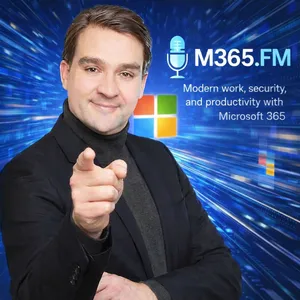
Free Daily Podcast Summary
M365.FM a Microsoft MVP Podcast by Mirko Peters: Daily Summaries Delivered
by Mirko Peters - Founder of m365.fm, m365.show and m365con.net
M365.FM is a podcast about Microsoft 365, Microsoft Copilot, AI, Modern Work, security, governance, Power Platform, Azure, and the technologies shaping the future of work.Hosted by Microsoft MVP Mirko Peters, M365.FM brings together Microsoft MVPs, Microsoft employees, product experts, architects, developers, and community leaders from around the world.Each episode goes beyond announcements and hype to explore what Microsoft technologies mean in practice. From Microsoft 365 Copilot and AI agents to Teams, SharePoint, Power Platform, Microsoft Fabric, Entra, Purview, security, governance, adoption, and automation, M365.FM focuses on real-world experience, implementation, strategy, and lessons learned.Expect expert interviews, technical deep dives, practical explainers, and conversations with people building, implementing, and shaping the Microsoft ecosystem.If you work with Microsoft 365, Copilot, AI, Modern Work, or the Microsoft Cloud, M365.FM helps you understand what matters, what works, and what is coming next.Hosted by Mirko Peters, Microsoft MVP.Become a supporter of this podcast: https://www.spreaker.com/podcast/m365-fm-a-microsoft-mvp-podcast-by-mirko-peters--6704921/support.
Latest Episodes
The most recent episodes — sign up to get AI-powered summaries of each one.
- Today1h 47m
What Is an Industrial Data Model
A factory can collect enormous amounts of data and still struggle to answer a basic operational question: what does this event actually affect?ERP knows customer orders, materials, planned dates, and inventory. MES knows what is executing on the shop floor. PLCs and SCADA know machine states, alarms, and process values. Maintenance knows asset condition and service history. Quality knows inspection and release status. Engineering knows the product definition. The problem is not usually a lack of data. The problem is that these systems describe the same factory through different names, IDs, states, and rules.An industrial data model creates shared meaning across those boundaries. It defines the factory objects that matter, gives them stable identity, and describes how products, processes, resources, orders, materials, people, tools, quality records, and machine events relate to each other. The goal is not to replace ERP, MES, maintenance, or other source systems. The goal is to make their information understandable as one connected production context. PLENTY OF SYSTEMS — NO SHARED MEANINGA modern plant already has specialized systems for almost every important job. ERP manages demand and commitments. MES manages execution. PLCs control equipment. SCADA presents machine conditions. Historians store process data. Maintenance systems manage assets and service work. Quality systems maintain inspection records, and Power BI can combine information for reporting.Each system exists for a reason. The problem begins when the same real-world object appears differently in every one of them. A machine may be represented as a work center in ERP, an asset number in maintenance, a resource in MES, a group of OPC UA nodes in the control system, and a completely different friendly name on the shop floor.An industrial model does not force all of those systems to use one identifier. Instead, it records how those references relate to the same physical or logical object. That gives the factory a stable identity layer without destroying the local structures each source system needs.WHAT AN INDUSTRIAL DATA MODEL ACTUALLY ISAn industrial data model is a shared set of rules describing what matters in the factory and how those things connect.It answers practical questions such as what counts as a production order, what a product revision represents, how a work center differs from a physical asset, when material is released, and what it actually means for a machine to be available.The model can describe:• Object types and identities• Properties and states• Relationships between factory objects• Source-system references• Effective dates and versions• Conditions attached to relationships• Ownership of definitions and rulesThis lets several systems describe different aspects of the same production situation without collapsing them into one misleading status. An order can be released in ERP while its current MES operation remains blocked. A machine can be mechanically healthy while still unavailable because the required fixture is missing. Those facts can all be true at the same time.THE MODEL IS NOT THE DATA PLATFORMMicrosoft Fabric, SQL databases, historians, data lakes, and other platforms are useful for storing, moving, governing, and analyzing information. But none of them can determine what a work center means in your factory simply because the records are stored together.You can load ERP orders, MES execution records, maintenance events, quality results, and machine telemetry into one Lakehouse and still be unable to answer whether a particular order can move to another machine before the end of the shift.That answer depends on relationships.Which product revision is involved? Which operation must run next? Which resources are approved for that operation? Which tooling is required? Is the operator qualified? Does the current machine state allow the work? Is an inspection rule attached to the alternate route?The platform can host and query those relationships, but the factory still has to define them. WHY TABLES ALONE OFTEN BECOME DIFFICULTRelational tables are not the problem. ERP, MES, maintenance, and many manufacturing applications depend on relational models because they are excellent for transactions and structured records.The difficulty appears when production questions cross many relationships that change over time.A product revision may require several operations. An operation may be approved on multiple resources. One machine may support only certain product versions, tooling combinations, size ranges, or inspection requirements. Operator qualifications may expire. Engineering changes may invalidate a previously approved route.All of this can be represented i
- Yesterday2h 0m
How Machine Data Reaches Microsoft Fabric - From OPC UA to Real-Time Analytics
Getting machine alarms, sensor values, production counters, and fault events into the cloud is easier than ever. OPC UA exposes the machine signal, an edge layer collects it, MQTT can distribute it locally, and Microsoft Fabric can ingest and analyze the resulting stream. The difficult part starts after the data arrives: how do you turn raw telemetry into enough production context to support an actual decision?This episode follows one machine signal from the factory floor through the Microsoft industrial data stack. It starts with OPC UA, moves through the edge and MQTT, crosses securely into Azure and Microsoft Fabric, and then looks at how Eventstream, Eventhouse, KQL, Lakehouse, Power BI, MES, ERP, maintenance data, and production context fit together. The goal is not simply to show another telemetry pipeline. It is to explain what has to happen before machine data becomes useful for production, maintenance, quality, and planning.FROM MACHINE STOPPAGE TO PRODUCTION CONSEQUENCEA machine stoppage looks simple at the controller level. The state changes from running to faulted, a fault code appears, the part counter stops, and perhaps other values change around the same time. That information is useful, but production usually asks a different question: which work order is affected, how much quantity remains, can another machine take over, and does this delay threaten a delivery?The machine understands its own condition, but it does not automatically understand the business consequence. MES may know the operation and work order. ERP may know the due date and demand. Maintenance may understand the equipment history. Quality may determine whether output can still be used. That is why a fast telemetry pipeline is only the beginning of the architecture.OPC UA — WHERE THE SIGNAL ENTERS THE DATA PATHOPC UA provides a standardized industrial interface for accessing information from equipment without requiring every cloud application to understand proprietary controller protocols. A server can expose variables, machine states, alarms, events, methods, timestamps, quality information, and sometimes structured equipment models.That structure matters because a useful industrial event should carry more than a numeric value. Source timestamps, server timestamps, quality status, units, source identity, and the original OPC UA node information can all become important later when somebody asks where a number came from or why a production calculation looks wrong.The episode also emphasizes that a tag name is not a data model. A field called “temperature” or “machine state” still needs context such as the asset, engineering unit, allowed range, state definition, and the production situation in which the signal was observed. KEEP THE OT BOUNDARY CONTROLLEDMachine connectivity should not turn the production network into an extension of the corporate or cloud environment. Industrial networks need controlled boundaries, typically including segmentation and an industrial DMZ, so that approved edge systems can communicate with equipment without giving enterprise applications direct access to controllers.The recommended pattern is generally outbound-oriented. The edge layer connects to approved OPC UA endpoints and then sends selected information toward cloud services through controlled destinations, ports, protocols, and identities. Analytics platforms should receive data without inheriting broad rights to browse or modify production systems.Certificates, firewall rules, trust relationships, expiry handling, and ownership also need to be treated as operational processes rather than one-time configuration work.THE EDGE SHOULD IMPROVE DATA — NOT INVENT BUSINESS MEANINGThe edge layer sits between the machine environment and the wider data platform. Its first responsibility is connection, but it can also filter, normalize, buffer, enrich, and route the information before it leaves the plant.Useful edge responsibilities include:• Selecting only signals required for defined use cases• Filtering unnecessary high-frequency data• Applying agreed unit conversions• Preserving source timestamps and quality indicators• Adding stable site, line, and asset identifiers• Buffering during cloud outages• Handling retry and back-pressure behavior• Exposing connector and queue health• Performing selected local calculations or AI inference where latency or disconnected operation requires itThe important boundary is that the edge should add facts it knows with confidence. It should not guess which production order is active based on stale information or quietly create business context that belongs to MES, ERP, planning, or quality systems. AZURE IOT EDGE VS AZURE IOT OPERATIONSThe episode compares two Microsoft approach
- 2 days ago2h 5m
Connectivity Is Not Integration — Why Your Connected Factory Still Can't Answer the Right Questions
A connected factory can move machine signals in milliseconds and still fail to answer the operational questions that actually matter. A packaging machine stops, the PLC reports the fault, OPC UA exposes the event, MQTT distributes it, and the dashboard updates immediately. Maintenance receives an alert and everything appears connected. Then the planner asks which customer shipment is now at risk, and suddenly the answer requires MES data, ERP records, maintenance history, quality status, production quantities, delivery commitments, and often a spreadsheet. That gap is the focus of this episode: connectivity moves signals, while integration connects meaning, constraints, ownership, timing, and consequences. CONNECTIVITY MOVES SIGNALS — INTEGRATION CONNECTS MEANINGOPC UA, MQTT, edge gateways, brokers, and modern industrial connectivity platforms solve important problems. They make machine data accessible, standardize transport, reduce point-to-point connections, and allow events to move between machines, applications, and cloud services. But transporting an alarm does not explain its business consequence.A fault code can arrive perfectly, keep the correct timestamp, and reach every subscriber within seconds. That still does not tell a planner whether the stopped machine affects an urgent order, whether approved inventory already exists, whether the current output is on quality hold, or whether another resource can take over. To answer those questions, the architecture needs relationships between the machine, the active operation, the work order, the product, material status, quality state, maintenance information, and customer demand.ONE ALARM, MULTIPLE SYSTEMS, NO COMPLETE ANSWERThe episode follows one packaging-machine alarm through the systems that typically hold different parts of the production story. The PLC knows what happened at the machine. MES understands which operation and work order are active. ERP knows demand, due dates, inventory, and customer commitments. Maintenance knows service history and outstanding work. Quality decides whether the produced output can actually be released.Each system can be correct while the factory as a whole still cannot answer the operational question. This is where people become the integration layer: someone checks MES, someone else opens ERP, maintenance searches the service history, quality verifies release status, and somebody eventually pulls the information together manually. That approach works until decisions need to happen quickly, systems change, or the person who understands all the hidden mappings is unavailable. UNIFIED NAMESPACE: A BETTER HIGHWAY, NOT THE FACTORY MAPA Unified Namespace can improve this situation significantly by replacing many direct system-to-system connections with a shared publish-and-subscribe environment. Machines and applications publish information once, consumers subscribe to what they need, and new systems can join without another custom connection back to the equipment.That reduces plumbing, but it does not automatically create context. An MQTT topic structure can tell you where information came from, but it cannot determine which production order was active, which material was involved, which quality state applied, or which customer delivery depends on that order. Publishing MES, ERP, quality, and machine events into the same broker does not automatically create the relationships between them. Those relationships still have to be modeled and governed. THE TAG NAMING TRAPGood naming conventions help people discover data, but names are not identities. One system may call a machine Packer7, maintenance may use PK07, ERP may use a production-resource code, and a cloud platform may know the same equipment through a device identity. All of those records can refer to the same physical asset.Without governed identity, organizations gradually build mapping tables, custom scripts, report-specific translations, and undocumented assumptions. Then the machine gets moved, rebuilt, renamed, or receives a new controller and the data still flows while the relationships quietly become wrong. Friendly names are useful for people, but stable identity is what keeps systems connected over time.ERP AND MES HAVE DIFFERENT JOBSERP and MES are related but they should not be treated as the same system. ERP works at the business and planning level with demand, supply, inventory, customer commitments, production orders, and financial consequences. MES works closer to execution with operations, production resources, operators, downtime, quantities, material consumption, and the actual progress of work on the floor.The architecture becomes more reliable when those responsibilities remain clear and the systems are deliberately linked instead of forcing one platform to
- 4 days ago1h 47m
Why Continuous Improvement Needs Better Data
Continuous improvement is supposed to create learning that compounds over time. In many factories, however, improvement work still depends heavily on workshops, spreadsheets, isolated reports, and what people remember from the previous shift. A Kaizen event can create visible progress, but a few weeks later the same loss often appears again under slightly different production conditions. The issue is not always the quality of the improvement idea. The bigger problem is that teams often cannot prove whether the countermeasure actually worked, where it worked, and under which conditions it stopped working.WHY KAIZEN IMPROVEMENTS OFTEN DISAPPEARA workshop creates focus for a few days. Teams map the process, identify waste, assign actions, move tools, change checklists, or adjust handoffs. Then normal production pressure returns. The supervisor has another urgent order, maintenance has another fault, planning changes the sequence, and quality puts another batch on hold. The improvement action remains somewhere in an Excel file or project tracker instead of becoming part of the operating rhythm. The important question is therefore not whether an action was completed, but whether the production condition actually improved.PDCA NEEDS A REAL CHECK STEPPlan, Do, Check, Act sounds simple, but many organizations effectively run Plan, Do, and Move On. PLAN should define a testable problem, the current condition, the expected improvement, and the hypothesis behind the countermeasure. DO means testing the countermeasure under real production conditions while recording enough context to understand what actually happened. CHECK means comparing the expected result with real production evidence. ACT means standardizing the change when the evidence supports it, or adapting, narrowing, or reversing it when it does not. • Did the loss actually decrease?• Did the problem simply move somewhere else?• Did the change improve availability while damaging quality?• Did it work across different products, crews, and shifts?• Did maintenance, material, scheduling, or another process change influence the result?A single successful production run is not proof. Continuous improvement needs enough evidence to separate a repeatable improvement from a lucky shift.GEMBA AND DATA NEED EACH OTHERData does not replace Gemba. Operators, supervisors, technicians, planners, and quality teams understand production conditions that systems often cannot capture. A machine record may show a ten-minute stop, while an operator knows that the stop happened because a component felt wrong, a normal material route was blocked, or the previous shift left the station in an unusual condition. At the same time, observation alone shows only one shift, one event, or one version of the problem. Connected operational data makes it possible to test whether an observation repeats across orders, products, machines, shifts, material batches, and longer periods of time. Gemba helps teams identify where to look and which questions matter. Operational data helps test those questions across the real production pattern. Standard work then carries the learning forward so the next shift does not start from zero.START WITH THE IMPROVEMENT QUESTIONOne of the biggest mistakes in manufacturing analytics is beginning with the data that happens to be available. A modern production line can generate huge volumes of information from PLCs, sensors, MES systems, ERP, quality systems, maintenance applications, and spreadsheets. More data does not automatically create better decisions. A useful improvement process starts with the production question the team actually needs to answer.Instead of asking “What data do we have?”, ask “What production question are we trying to answer?” A statement such as “changeovers take too long” is still too broad. A better question would be: Why does changeover time vary significantly for the same product family on the same production line? That immediately helps define the context that matters. • Previous product• Next product• Production order• Resource or line• Tool configuration• Material• Shift or crew• Setup start• Restart time• First acceptable unit• Stable production• Quality results• Machine alarmsThe goal is not to collect everything. The goal is to collect the smallest set of facts capable of changing the improvement decision.ERP EXPLAINS THE PLANERP provides the commercial and planning context around production. It can show planned quantities, routing, customer commitments, material requirements, order priority, and the intended production sequence. That context matters because production conditions constantly change. A countermeasure might genuinely reduce setup time while delivery performance still deteriorat
- 6 days ago1h 50m
IoT Hub Message Routing vs Event Grid — Why Telemetry and Events Are Not the Same Problem
A temperature reading, a vibration sample, a machine cycle, and a device disconnect may all be described as events, but they do not represent the same architectural problem. In industrial IoT and manufacturing environments, confusing continuous telemetry with discrete events can create noisy workflows, incomplete production histories, unnecessary processing, and systems that react without enough context.In this episode, we break down the architectural difference between Azure IoT Hub Message Routing and Azure Event Grid by following a realistic manufacturing scenario. A press line continuously sends temperature, vibration, cycle count, energy consumption, and machine-state information through an industrial gateway. Those measurements create an operational history that engineers, data teams, maintenance teams, and production systems may need to analyze later. A device disconnect is different because it represents a change that may require another system or person to react.TELEMETRY IS A RECORD, NOT AN ALERTTelemetry represents repeated measurements over time. A single temperature value or vibration measurement usually tells you very little on its own. The real information exists in the sequence: how quickly values changed, what the machine was doing at that moment, what happened before a stop, whether measurements disappeared during a network interruption, and whether the same behavior appeared in earlier production runs.Typical industrial telemetry includes:• Temperature, vibration, pressure, energy consumption, and current draw• Machine states such as running, idle, stopped, or faulted• Cycle counts, production counters, and process measurements• Source timestamps, device identifiers, sequence numbers, and correlation informationThose records may later support condition monitoring, quality investigations, energy analysis, OEE calculations, Microsoft Fabric analytics, Power BI reporting, and production optimization. That is why telemetry needs retention, replay, duplicate handling, independent consumers, and a reliable way to reconstruct the production timeline.IOT HUB MESSAGE ROUTING AS THE TELEMETRY DATA PLANEAzure IoT Hub provides the controlled device-to-cloud boundary. Devices and gateways authenticate with their own identities, send device-to-cloud messages, maintain device-management state, and can participate in controlled cloud-to-device communication.Once a telemetry message reaches IoT Hub, Message Routing determines where that data should go. Routing can inspect message properties, system properties, parts of the message body, and device twin information. This makes it possible to separate production telemetry, energy measurements, diagnostics, or other message classes before they reach downstream consumers.A common architecture might look like this: Industrial gateway → Azure IoT Hub → Message Routing → Event Hubs or Storage → Processing → Microsoft Fabric.One consumer may perform near-real-time analysis while another keeps a raw archive. A third consumer may prepare curated operational data for Microsoft Fabric. Each consumer can work independently without turning every telemetry reading into a workflow invocation.WHY ORDERING MATTERSIndustrial telemetry is particularly sensitive to sequence. Imagine a machine reporting that it entered a running state, then transmitting several cycle counts, followed by a process deviation and finally a stopped state. If those records are reconstructed incorrectly, a downstream system could conclude that the machine produced parts while stopped or that a process deviation happened after production had already ended.The same problem affects downtime calculations, OEE, production counts, and condition monitoring. You therefore need to distinguish between when the source observed something, when IoT Hub received the message, and when a downstream system processed it.A robust telemetry architecture should therefore consider:• Source timestamps and cloud receipt timestamps• Stable partitioning appropriate to the asset or workload• Message IDs or sequence numbers for duplicate detection• Idempotent consumers capable of handling at-least-once deliveryNetwork interruptions make this especially important. A gateway may buffer telemetry and send it when connectivity returns, which means Azure arrival time may be much later than the actual machine timestamp.EVENT GRID SOLVES A DIFFERENT PROBLEMAzure Event Grid is designed around publish-and-subscribe notifications. Instead of continuously reconstructing the state of a machine from thousands of readings, Event Grid tells interested systems that something changed and gives subscribers an opportunity to react.Examples in an IoT environment include device creation, device deletion, connection, d
- 1 weeks ago1h 5m
Building Azure That Survives the Real World — with Mike Martin [MVP]
Azure architecture looks easy when everything works.The real test starts when dependencies fail, regions become unavailable, traffic spikes, assumptions turn out to be wrong, requirements change, and someone eventually asks the uncomfortable question: why did we design it this way in the first place?In this episode of M365.FM, Mirko Peters talks with Mike Martin [MVP] about what Azure architecture looks like when it has to survive real production conditions rather than just look good on a diagram.Mike brings decades of experience across development, infrastructure, architecture, leadership, coaching, training, and Microsoft Azure. One of his strongest observations is that many of the problems architects face today are not actually new. DNS still breaks. IP dependencies still matter. Costs still become a problem. Integrations still fail. Dependencies still disappear at the worst possible moment.What has changed is the level of complexity we build around those problems.FROM VISUAL BASIC TO MODERN AZURE ARCHITECTUREMike looks back at nearly three decades in IT, starting as a Visual Basic developer in the 1990s and moving through distributed systems, networking, enterprise software, infrastructure, and eventually Azure.His key observation is simple: the industry keeps solving many of the same fundamental problems, but the architectures around them have become much more complex.Modern systems have moved from client-server applications to distributed architectures, cloud platforms, containers, microservices, Kubernetes, hybrid environments, and now AI-assisted development.That creates enormous possibilities, but it also creates a new risk: overengineering.Mike argues that many teams today make simple problems unnecessarily complicated. Good architecture is often not about adding more technology. It is about knowing what not to add.WHAT DOES AN AZURE ARCHITECT ACTUALLY DO?For Mike, architecture is not about choosing the largest number of Azure services or producing an impressive diagram.It is about understanding which components belong together, which ones should be avoided, which ones are necessary, and how to build something that remains maintainable, scalable, secure, and resilient.Architecture includes much more than compute.IdentityNetworkingData flowsSecurityMonitoringIntegrationDependenciesScalabilityOperationsRecoveryDeploymentCostMike also challenges the idea that cloud-native automatically means Kubernetes or containers.Azure provides many managed and native services that can solve problems without introducing unnecessary operational overhead.The architect’s role is to understand the complete solution and choose the simplest architecture that still satisfies the real requirements.START WITH BUSINESS REQUIREMENTS, NOT AZURE SERVICESOne of the most important lessons in this episode is simple: do not start with technology.Before deciding between Azure Kubernetes Service, App Service, Azure Functions, containers, Service Bus, or another platform, teams should first understand what the solution actually needs to do.Questions to ask:Is it internal or customer-facing?How many users will depend on it?Does it need to scale globally?How long can it be unavailable?How much data can the business afford to lose?Which compliance requirements apply?What happens if the application disappears for several hours?Who is affected?What level of operational support is required?These questions lead directly into concepts such as SLAs, SLOs, RTOs, and RPOs.They also determine whether the architecture should be single-region, multi-region, active-active, active-passive, or something much simpler.RTO AND RPO WITHOUT THE BUZZWORDSRTO and RPO are often discussed as technical acronyms, but their real meaning is business-oriented.RTO — Recovery Time Objective: How quickly must the system return after a failure?RPO — Recovery Point Objective: How much data loss is acceptable?A system used for non-critical monitoring may tolerate several hours of downtime or lost data.A system supporting first responders, financial operations, commerce, or critical infrastructure may require recovery in minutes.The important point is that these numbers should not be invented by the architect.They should come from the actual business impact of failure.Once those requirements are understood, they can be translated into technical design decisions.RESILIENCE IS NOT THE SAME AS HIGH AVAILABILITYMike uses a simple analogy to explain the difference between availability and resilience.A highly available system may have another component ready to take over when the primary one fails.A resilient system is designed to absorb problems,
- 1 weeks ago1h 43m
Why Your Production Schedule Is Wrong Before It Even Starts
Your production schedule can look perfectly reasonable when it leaves the ERP system. Order dates line up, routing times make sense, capacity appears available, and material status suggests that production is ready to go. The problem is that the schedule is still only an assumption about the future.The moment production begins, the factory starts generating new facts. Material arrives later than expected, a batch is still waiting for quality inspection, a fixture is unavailable, an operator with a required qualification is missing, or a machine loses capacity because of a short interruption. The original schedule may have been correct when it was created, but the conditions behind it can change within minutes.This episode explores why static production schedules lose accuracy so quickly, why ERP planning is not necessarily the problem, and why modern manufacturing needs a closed feedback loop connecting planning, shop-floor execution, production data, learning, and replanning. The central argument is that a schedule is a decision about what production should try to do based on the information available at that moment. It is not a guaranteed description of what the factory will actually be able to execute. Why Your Production Schedule Is…WHY PRODUCTION SCHEDULING BREAKS DOWNEvery scheduled production operation contains multiple hidden assumptions. A planned start time assumes that the previous job finishes on time, the machine remains available, the required material is usable, the correct tool or fixture is ready, and a qualified operator is present.It may also assume that setup duration remains realistic, that actual cycle time stays close to the routing standard, that quality releases the material as expected, and that another more urgent order does not suddenly compete for the same resource.That means a production schedule is not simply a table containing orders, dates, quantities, and machines. It is a collection of assumptions about future operating conditions.Typical assumptions include:Machine availabilityMaterial readinessTool and fixture availabilityOperator qualificationsSetup durationCycle timeQuality releaseResource capacityProduction sequenceCustomer prioritiesThe schedule becomes unreliable when those conditions change but the decision is not updated.ERP PLANNING IS NOT THE PROBLEMERP remains one of the most important systems in manufacturing. It connects customer orders, inventory, bills of material, purchasing, routings, work centers, due dates, and business commitments.ERP provides the commercial intent behind production. It tells the organization what should be produced, which demand needs to be covered, which materials are required, and which customer commitments matter.The limitation appears when ERP planning is expected to understand every operational condition on the shop floor at every moment.A work center may appear available while the required fixture is still installed somewhere else. A material receipt may exist in ERP while the batch is still waiting for inspection. A person may appear on the workforce calendar while lacking the specific qualification required for the next operation.The ERP system is not necessarily wrong. The factory has simply produced newer information.PRODUCTION PLAN VS DETAILED SCHEDULE VS DISPATCH LISTOne reason production planning becomes confusing is that several different decisions are often described using the same word: schedule.A production plan usually works at a broader level. It determines what demand needs to be covered, which product families should be produced, and whether enough capacity and material appear to exist across a longer planning horizon.A detailed production schedule moves closer to execution. It determines which operation should run on which resource, in what sequence, and within which time window.A dispatch decision operates even closer to the shop floor. It answers the practical question: what should this machine, operator, or work center run next based on the conditions we know right now?These decisions are connected, but they are not identical. The closer production gets to execution, the more important current operational conditions become.WHY EXCEL BECOMES THE UNOFFICIAL MANUFACTURING CONTROL SYSTEMWhen the official production schedule no longer matches the factory, planners frequently move into Excel. The reason is simple: Excel reacts faster.A planner can change priorities, reorder jobs, add comments, highlight material issues, record tooling problems, and send a revised sequence within minutes.That flexibility is valuable when the factory needs an operational decision immediately.The spreadsheet itself is therefore not necessarily the underlying problem. It often exposes a capability that the formal production system does not currently provide.The d
- 2 weeks ago54 min
Microsoft 365 Copilot Without the Hype: Adoption, Governance & Getting Your Tenant Ready with Paul Keijzers [MVP]
Microsoft 365 Copilot can help people find information and get work done faster, but its answers depend on the content and permissions already in an organization’s Microsoft 365 tenant. In this episode of the M365 FM podcast, Mirko Peters speaks with Microsoft MVP Paul Keijzers, founder of KB Works, about preparing Microsoft 365 for Copilot in a practical, responsible way. They look beyond demos and licensing to the foundations that shape Copilot results: SharePoint, Microsoft Teams, OneDrive, data quality, access controls and governance. Copilot can make existing access issues more visible. Files that have been shared broadly, outdated documents, old versions and content with unclear ownership may all affect what employees can find. Paul explains why organizations should review their sharing settings and understand where sensitive or unnecessary access exists before rolling Copilot out widely. SharePoint oversharing reports can help identify potential issues across SharePoint, Teams and OneDrive, although organizations still need to check whether flagged sharing is appropriate for their business.GOVERNANCE, LEGACY DATA AND INFORMATION PROTECTIONThe conversation explores how to manage years of legacy SharePoint content. Old project files may need to be retained for legal or business reasons, but that does not always mean they should appear in everyday search or Copilot results. Organizations can consider archiving content or restricting access, depending on how often it needs to be used and how the tenant is structured. Paul also highlights the need to plan for Microsoft 365 backup and recovery, including how a company can retrieve its data if it changes backup providers. Microsoft Purview is part of the wider governance picture. Paul recommends reviewing sensitivity labels, checking whether they are applied consistently, and considering automatic labeling where appropriate. Data Loss Prevention policies can help protect personal and sensitive information, while Power Automate DLP policies need attention when Copilot uses connectors to work with services such as Jira. These controls should fit the organization’s actual needs, since a global company and a small business may require different policies.SHAREPOINT STRUCTURE AND COPILOT ADOPTIONGood information architecture remains important even as AI becomes better at understanding natural language. Paul discusses using metadata and content types to make information easier to organize and retrieve, while keeping SharePoint libraries practical for employees. His guideline is to avoid overly deep folder structures and excessive metadata fields, since people are less likely to maintain a system that is too complicated. Copilot can help suggest or populate information, but organizations still need a clear structure and reliable content. Copilot adoption also requires ongoing support. Rather than delivering a single training session and expecting employees to figure out the rest, organizations can share regular tips, demonstrate useful prompts and agents, and help teams solve real daily frustrations. Paul recommends starting with the work people actually do, then identifying where Copilot could save time or improve an outcome. Adoption plans should be adapted to the size and working practices of each organization instead of copied wholesale from a framework designed for a different environment.AI VALUE, AGENTS AND A PRACTICAL PATH FORWARDMirko and Paul also discuss how organizations can assess the value and cost of AI, how agents may increasingly work alongside employees, and why administrators need ways to discover and manage agents in their environments. Paul shares his Focus Week concept in Portugal, where teams spend dedicated time working on Microsoft 365, SharePoint, governance or Copilot challenges away from their usual workplace interruptions. The central message for IT leaders is that Copilot readiness starts with understanding the Microsoft 365 tenant: who can access what, how information is organized, which content should be retained or surfaced, and how employees will learn to use AI in their work. Review sharing settings, improve information governance and connect adoption to real business needs before treating Copilot as simply another license to deploy.Become a supporter of this podcast: https://www.spreaker.com/podcast/m365-fm-a-microsoft-mvp-podcast-by-mirko-peters--6704921/support.
Get M365.FM a Microsoft MVP Podcast by Mirko Peters summaries in your inbox
Free AI-powered daily recaps. Key takeaways, quotes, and mentions — in a 5-minute read.
Get Free Summaries →Free forever for up to 3 podcasts. No credit card required.
You Might Also Like
Listeners also like.

Microsoft Mechanics Podcast
Explores Microsoft technologies like Office, Azure, Windows, and data platforms, plus Surface, machine learning, and predictive analytics.
Ship It Weekly - DevOps, SRE, Platform and Cloud Engineering News
A weekly recap of key DevOps, SRE, and cloud engineering events, outages, and tools with practical takeaways for working engineers.
MarTech Podcast // Marketing + Technology = Business Growth
Marketers share how they use technology to solve challenges and drive business growth in real-world roles.

Mac Power Users
Explores productivity workflows and tips for maximizing Apple technology with expert guests.

Everyday AI Podcast – An AI and ChatGPT Podcast
Covers practical uses of AI tools like ChatGPT and Midjourney to help people work more efficiently and advance their careers.

The Best SEO Podcast
A practical guide to SEO in the age of AI, focusing on real-world strategies that work and insights from experienced marketers.

Waveform: The MKBHD Podcast
Discusses the latest tech products and innovations, offering insights on what’s worth buying from smartphones to electric cars.

The AI XR Podcast.
Industry insiders interview top founders and executives on AI, spatial computing, VR/AR, and synthetic media.

How I AI
A practical guide to using AI tools in work and life, featuring guests who share specific, actionable techniques and workflows.
The Engineering Leadership Podcast
Insights and practices from top software engineering leaders to advance leadership skills in the tech industry.

Primary Technology
Tech news covering consumer gadgets, AI, and major industry stories explained for a general audience.
"The Cognitive Revolution"
Explores the transformative impact of artificial intelligence through interviews with innovators shaping its future.
About M365.FM a Microsoft MVP Podcast by Mirko Peters
M365.FM is a podcast about Microsoft 365, Microsoft Copilot, AI, Modern Work, security, governance, Power Platform, Azure, and the technologies shaping the future of work.Hosted by Microsoft MVP Mirko Peters, M365.FM brings together Microsoft MVPs, Microsoft employees, product experts, architects, developers, and community leaders from around the world.Each episode goes beyond announcements and hype to explore what Microsoft technologies mean in practice. From Microsoft 365 Copilot and AI agents to Teams, SharePoint, Power Platform, Microsoft Fabric, Entra, Purview, security, governance, adoption, and automation, M365.FM focuses on real-world experience, implementation, strategy, and lessons learned.Expect expert interviews, technical deep dives, practical explainers, and conversations with people building, implementing, and shaping the Microsoft ecosystem.If you work with Microsoft 365, Copilot, AI, Modern Work, or the Microsoft Cloud, M365.FM helps you understand what matters, what works, and what is coming next.Hosted by Mirko Peters, Microsoft MVP.Become a supporter of this podcast: https://www.spreaker.com/podcast/m365-fm-a-microsoft-mvp-podcast-by-mirko-peters--6704921/support.
Customized Recaps
AI-powered recaps with compact key takeaways, quotes, and insights.
Straight to Your Inbox
Get key takeaways from M365.FM a Microsoft MVP Podcast by Mirko Peters in a 5-minute read.
Save Hours Every Week
Stay current on your favorite podcasts without falling behind.
Frequently Asked Questions
What is Podzilla's M365.FM a Microsoft MVP Podcast by Mirko Peters daily summary?
It's a free AI-powered email that summarizes new episodes of M365.FM a Microsoft MVP Podcast by Mirko Peters as soon as they're published. You get the key takeaways, notable quotes, and links & mentions — all in a quick read.
How does the M365.FM a Microsoft MVP Podcast by Mirko Peters podcast summary work?
When a new episode drops, our AI transcribes and analyzes it, then generates a personalized summary tailored to your interests and profession. It's delivered to your inbox every morning.
Is this an official M365.FM a Microsoft MVP Podcast by Mirko Peters product?
No. Podzilla is an independent service that summarizes publicly available podcast content. We're not affiliated with or endorsed by Mirko Peters - Founder of m365.fm, m365.show and m365con.net.
Can I get summaries of other podcasts too?
Absolutely! The free plan covers up to 3 podcasts. Upgrade to Pro for 15, or Premium for 50. Browse our full catalog at /podcasts.
How often does M365.FM a Microsoft MVP Podcast by Mirko Peters release new episodes?
M365.FM a Microsoft MVP Podcast by Mirko Peters publishes daily. Our AI generates a summary within hours of each new episode.
What topics does M365.FM a Microsoft MVP Podcast by Mirko Peters cover?
M365.FM a Microsoft MVP Podcast by Mirko Peters covers topics including News, Technology, Education, How To. Our AI identifies the specific themes in each episode and highlights what matters most to you.
Start getting M365.FM a Microsoft MVP Podcast by Mirko Peters summaries tomorrow morning.
Free forever for up to 3 podcasts. No credit card required.
Free forever for up to 3 podcasts. No credit card required.